Run Across America
- 3.8
- Rating
- 10.00K
- Installs
- Free
- Price

 Analysis by App-foxy
I approached Run Across America as an event companion rather than as a general running tracker. That distinction matters. The app’s role is tied to Run Across America, so its value depends on whether you, your household, or your group is taking part in that particular experience. I found it most useful when several people needed a simple way to stay connected to the same event instead of each person choosing a different fitness app.
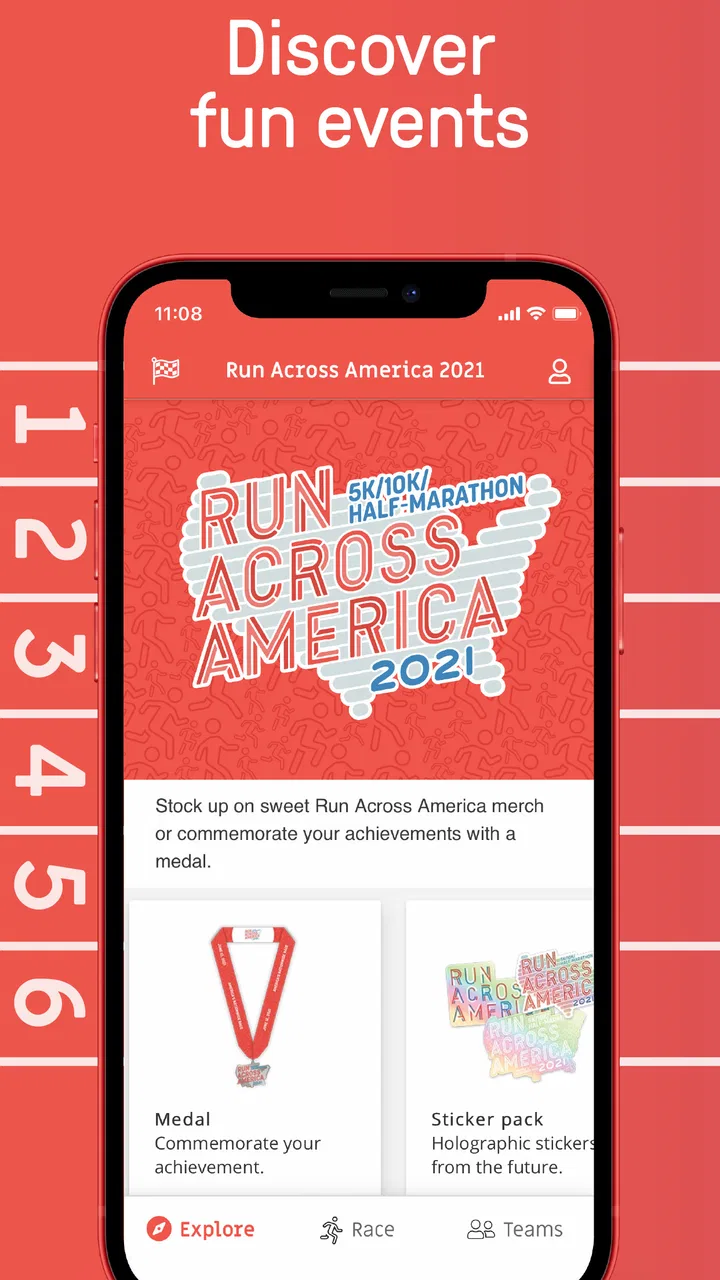
It is a free events app from Cockpit Mobile, Inc., available for Android devices running at least Android 7.0. The app is rated for Everyone, which makes it easy to consider for a mixed-age household, although an age label alone should not replace a parent’s judgement about how a child uses a phone or shares event information. Its current version is 1.0.121, and the store summary identifies it as the official app for Run Across America.
How it fits into a shared household
The clearest everyday scenario is a family or group preparing for the same event. One person may be actively participating, another may be helping with organization, and someone else may simply want to check the event experience from the same home. In that setting, a dedicated event app feels more focused than asking everyone to search through social networks, messages, email, and a separate running platform.
You May Also Like

 Blood Strike: 2.5 Anniversary
Blood Strike’s Loadouts Turn Every Drop Into a Tactical Gamble
A close look at Blood Strike’s custom loadouts: how fast access to signature weapons reshapes its battle royale rhythm, rewards preparation, and narrows the gap between fights.

 Pandora - Music & Podcasts
Pandora’s Music Is Easy to Start, but Harder to Recover
Pandora’s strength is its low-effort path from a seed to a station. Its weak spot is how much confidence it asks you to place in connection, setup, and quiet recovery.

 8 Ball Pool
 Is Built on Rivalries, Rematches, and Routine
A close look at the rivalries, rematches, shared routines, and unanswered safety questions that turn a quick pool match into a persistent mobile community.

 Samsung Music
’s Quiet Strength Is Playing What You Already Own
Its reach comes less from spectacle than from dependable access to a personal library. That simplicity is both the app’s strongest retention engine and its ceiling.

 AccuWeather: Weather Radar
AccuWeather Review: A Quick, Clear Forecast for Everyday Decisions
For everyday plans, the best forecast is the one you can understand quickly. AccuWeather makes rain timing, radar, and local conditions easy to act on, with a few trade-offs.

 Hill Climb Racing
Why Hill Climb Racing Still Turns Crashes Into One More Run
A tiny car, a bumpy hill and one more upgrade: Hill Climb Racing keeps resurfacing because its simple chaos makes every near-miss feel personal.
More From Our News Desk



I would not treat it as a replacement for a full training log. A general fitness app is usually the better choice when your priority is long-term pace history, detailed workout analysis, route planning, or comparisons across many activities. Run Across America makes more sense when the event itself is the center of attention and you want the relevant experience gathered in one place.
That focus is also its main limitation. If nobody in your household is connected to Run Across America, there is little reason to keep it installed. It is not the kind of app I would recommend merely because someone enjoys running. The useful question is not “Do I run?” but “Do I need the official digital companion for this event?”
For a shared device, I would begin by deciding whose phone is actually being used for the event. A participant may need the app during preparation or on event days, while another household member may only need occasional access. Keeping one clearly designated device can reduce confusion, especially if several people instinctively open the same app and assume that what they see represents their own participation.
The practical advantage is shared context, not unlimited personal tracking. That makes the app easier to explain to relatives or friends: it belongs to the event, rather than being a private fitness diary for every person in the home.
What I would do before handing over a phone
Before another person uses the device, I would check which account or participant identity is active, if the app asks for one. I would also make sure the person understands whether they are viewing event information or recording something for themselves. These are small steps, but they prevent a common household mistake: one person assumes the phone is showing their own status while it is still configured for someone else.
I would avoid treating a shared phone as a substitute for separate personal accounts. If multiple people are participating, each person should understand which identity belongs to them and avoid entering information on behalf of someone else. The app can support coordination, but the boundaries still have to come from the people using the device.
This is particularly important when a parent lets a child use the phone. The Everyone rating is reassuring for broad accessibility, but it does not tell me that every situation is automatically suitable for unsupervised use. A child may be able to navigate the app comfortably while still needing an adult to explain what event information is appropriate to share and whose details should remain private.
I also recommend installing and checking the app before the household actually needs it. Event-day pressure is a poor time to discover that a person is using the wrong profile, does not understand the navigation, or has forgotten how to return to the relevant screen. A short trial run with the intended user is more useful than assuming the app will be self-explanatory for everyone.
Coordination works best when expectations are simple
In my view, the app is strongest as a coordination point. A household can agree on who checks it, when updates are discussed, and which information matters to the group. For example, one participant might use the app directly while another family member checks it only when helping plan the day. That arrangement avoids constant phone handoffs and keeps the conversation focused on the event.
I would still keep an ordinary backup channel for urgent household communication. A dedicated event app should not be the only way relatives coordinate meeting points, transport, or last-minute changes. Messaging, phone calls, and clear spoken plans remain useful because they do not depend on everybody opening the same app at the same moment.
This is one of the less obvious trade-offs. A single official app can reduce scattered information, but it can also encourage people to assume that everyone is seeing exactly the same thing. In a shared household, I would confirm important details directly rather than relying on a silent assumption that another person has checked the app.
The app’s event-specific nature can also help reduce noise. A broad social platform may bring unrelated posts, notifications, and conversations into the same space. A dedicated companion is easier to keep mentally separate: when I open it, I know I am there for Run Across America. That is useful for a participant who wants less distraction, but less useful for someone looking for a complete running community or detailed coaching tools.
Another practical tip is to decide who is responsible for checking information before the event begins. If that responsibility is shared vaguely among several people, everyone may assume someone else has done it. One named household member can check the app, then pass along anything the group actually needs. This is not a special feature; it is simply the most reliable way I found to use a focused event app without creating unnecessary confusion.
Accounts, identity, and trust in a mixed-age home
Account boundaries deserve attention because a household often includes adults, teenagers, children, and guests using the same devices. I would not let one person casually create or edit another participant’s details just because the phone is nearby. Even when the purpose is harmless, mixing identities makes it harder to know whose information is being displayed or submitted.
For adults, the decision is mostly about convenience and accuracy. For younger users, it is also about supervision and judgement. The app’s Everyone rating means it is presented as suitable for a broad audience, but I would still explain basic rules: use your own identity, ask before sharing someone else’s information, and tell an adult if a screen or request is unclear.
I would also be cautious about letting children borrow a logged-in adult’s phone without supervision. The risk is not necessarily the event content itself; it is the possibility of accidental changes, mistaken entries, or confusion about who the app represents. A clear handoff is safer than assuming that a young user will recognize every account boundary.
Trust matters between adults as well. If a partner or friend is helping with an event, decide whether they are simply viewing information or actively managing something for the participant. Those are different responsibilities. I prefer to keep the main participant in control and use helpers for coordination rather than having several people make changes without discussing them.
The app is therefore a good fit for households that communicate clearly. It is less suitable for a group that expects technology to solve every question automatically. No event companion can replace agreement about who is participating, who is checking information, and how the group handles mistakes.
Where it differs from ordinary running apps
Compared with a standard running tracker, Run Across America feels more like a focused event tool. A general tracker is built around an individual’s ongoing activity, often with training history, personal goals, and broader exercise records. This app’s identity is narrower, which can be an advantage when you do not want unrelated fitness data competing for attention.
Compared with a social network, it should also feel more purposeful for people who are already connected to the event. Social platforms are flexible, but that flexibility can make important event-related information harder to find. A dedicated app can offer a clearer starting point, even if it does not provide the breadth of conversation or community that a large network does.
Compared with relying only on email or group messages, the app gives the event its own place on the phone. That can make it easier for a participant to return to the same source rather than search through an old conversation. The trade-off is that every household member must remember to use it. If your group already communicates reliably by message and does not need another app, the extra installation may not add much.
I would choose a full fitness app for personal progress, a messaging app for urgent coordination, and Run Across America for the event-specific experience. Those tools can complement one another, but I would not expect this app to replace all three. Understanding that division prevents disappointment and helps each person use the right tool for the right job.
What the public response suggests
The app has an average rating of 3.8 from around 583 ratings, with roughly 279 written reviews. I read that as a mixed but usable signal rather than a reason to dismiss it. Event apps often receive feedback from people with very different expectations: some want a quick official companion, while others expect the depth of a mature fitness platform.
It has passed 10K installs, which suggests that it has reached a real audience without making it one of the huge mainstream fitness products. That scale fits its specialized purpose. I would judge it by whether it supports the Run Across America experience I need, not by comparing its audience size with major workout platforms.
The fact that it is free removes the biggest barrier to trying it. Still, free does not mean frictionless. The cost may be measured in setup time, attention, and the need to explain account boundaries to other users. For a participant who needs the official event companion, that trade-off is reasonable. For a casual runner with no connection to the event, it is not.
Who should use it and who should skip it
I would recommend it to a Run Across America participant who wants the event’s dedicated mobile experience, especially when relatives or friends are helping with coordination. It can also suit a household that prefers one event-focused app over a mixture of web pages, message threads, and general fitness tools.
I would be more cautious about recommending it to someone seeking detailed training analysis. If your main goal is to build a year-round running record, compare workouts, study pace trends, or plan routes, a specialized fitness tracker is likely a better primary app. You may still use this one for the event, but it should not be your only running tool.
I would also skip it if nobody in your group is participating or following Run Across America. Installing an official companion without a clear event-related purpose creates clutter rather than value. The app’s narrow focus is honest and useful, but it means the right audience is equally narrow.
My household verdict
After looking at it through a shared-device lens, I see Run Across America as a practical companion for a specific event, not a universal family fitness platform. Its free availability, Everyone rating, and focused purpose make it approachable for mixed-age households, but good use still depends on adults setting sensible boundaries around identity, sharing, and responsibility.
I like the idea of giving the event its own place on a phone. It reduces the temptation to force a general running app or a busy social network to do a job they were not designed to handle. At the same time, I would keep messaging and ordinary communication available for anything urgent, and I would not assume that every person in the household needs their own active role inside the app.
My final recommendation is straightforward: install it when Run Across America is genuinely part of your household’s plans, test the intended account or participant setup early, and agree on who checks it. Use a full fitness app for training, direct communication for immediate coordination, and this event app for the event itself. With those boundaries in place, it is an easy recommendation for the right audience; without them, it is simply another specialized app taking space on the phone.
FAQs for Run Across America
01What is Run Across America?
Run Across America is a fitness-focused running app designed to turn your everyday outdoor runs or walks into progress across a virtual route spanning the United States. As you record distance, the app presents your activity as part of a larger journey, making ordinary workouts feel more goal-oriented. It is especially useful for people who enjoy visual milestones, personal challenges, and motivation beyond simply checking pace or calories.
02How does Run Across America track my progress?
The app generally uses your phone’s location services and fitness data to measure the distance covered during a run or walk. After a session, that distance is applied to your virtual route across America, allowing you to see how far you have traveled and how much remains. Accuracy can depend on GPS reception, permissions, battery settings, and whether the phone is carried consistently during the workout.
03Can I use Run Across America for walking, jogging, or indoor workouts?
Run Across America can be suitable for more than competitive running, since the central idea is accumulating distance over time. Walking, jogging, and other steady outdoor activities may all help you advance, depending on the version and tracking options available in the app. Indoor treadmill sessions may require manual entry or integration with another fitness service, so users should check the supported activity types before relying on them.
04Does Run Across America require a subscription or in-app purchases?
The availability of free features, premium content, subscriptions, or one-time purchases may vary by platform and app version. Before downloading, review the store listing carefully to see whether the basic route and tracking tools are included at no cost or whether advanced statistics, challenges, achievements, or customization are restricted. Also check renewal terms if a subscription is offered, particularly when starting a free trial.
05What permissions and devices are needed to use Run Across America?
You will typically need a compatible Android or iOS device with location services enabled, along with permission for the app to access motion, fitness, or activity data when requested. Background location access may be necessary for tracking while the screen is locked, although it can increase battery consumption. A stable account setup and occasional internet access may also be required to synchronize progress or display route information.
Pros
- Simple controls make it easy to start playing immediately.
- Short runs are convenient for quick gaming sessions.
- Progress tracking adds a motivating sense of achievement.
- Bright visuals make the game easy to follow on small screens.
- Suitable for casual players looking for a low-pressure challenge.
Cons
- Gameplay may feel repetitive after extended sessions.
- Limited depth may not satisfy players seeking a complex runner.
- Difficulty can become frustrating as obstacles appear more often.
- Some devices may show occasional performance issues or lag.
- The game may offer limited replay value once stages are completed.

Run Across America
Gallery